

Review your voicemail
1
Open Voicemail
In the sidebar, go to Calls → Voicemail.
2
Pick a date range
Under Filters, choose a Range: Today, Yesterday, This Week, Last Week, This Month, Last Month, Last 7 days, Last 30 days, or Custom. For Custom, set From and To. This Month is the default.
3
Narrow the list
Type in Filter by From to search by caller name or Filter by number to search by phone number. Select New only to show only new messages. The badge shows how many are new.
4
Play or download a message
Select play on a row to listen. Use the download button to save the recording.
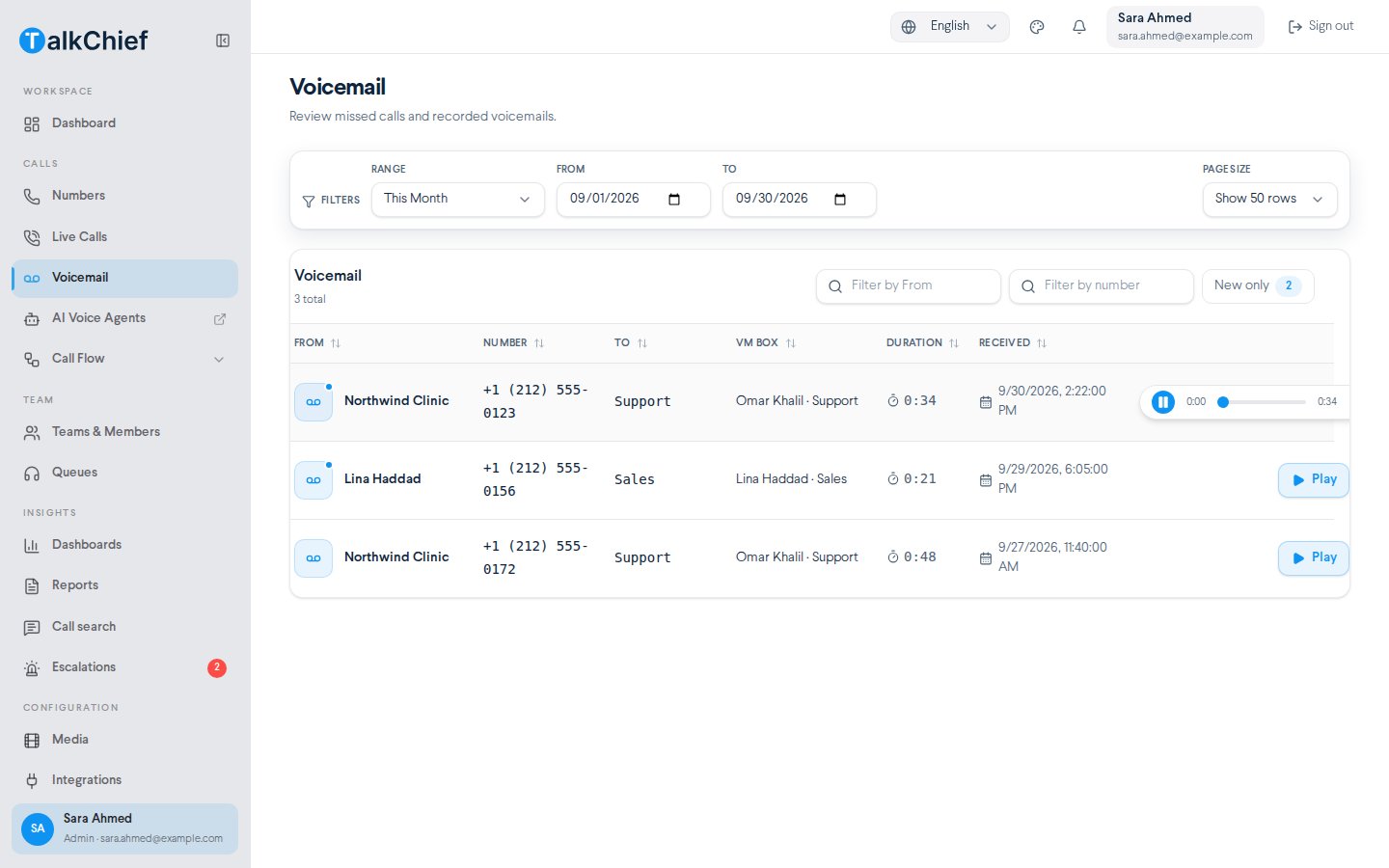
What each column shows
Select a column header to sort by it. Select it again to reverse the order.
Send callers to voicemail
Add a Voicemail step to a number’s call flow and pick the mailbox. A common setup puts it on the Closed branch of a Time Condition or after a Team step. See Call flows.Set up a member’s mailbox
Admins set each member’s mailbox options on their settings page.1
Open the member's settings
Go to Team → Teams & Members, open the Members tab, and select Settings in the member’s actions menu.
2
Turn on voicemail
In the Voicemail section, turn the switch on.
3
Choose the options
Turn on the options you need, then select Save changes.
Clear a member’s mailbox
On the member’s settings page, open Actions and select Clear Saved VMbox Messages.Frequently asked questions
I see 'No voicemails!'
I see 'No voicemails!'
There are no messages in the selected range. Pick a wider Range, such as Last 30 days.
Can I get voicemail by email?
Can I get voicemail by email?
Yes. Turn on Forward to member’s email in the member’s Voicemail settings.
Related pages
Call flows
Add a Voicemail step to a number.
Working hours and media
Upload the audio played before the mailbox.