

Only administrators can add or remove numbers. Supervisors can view the blacklist but not change it. Agents don’t have access.
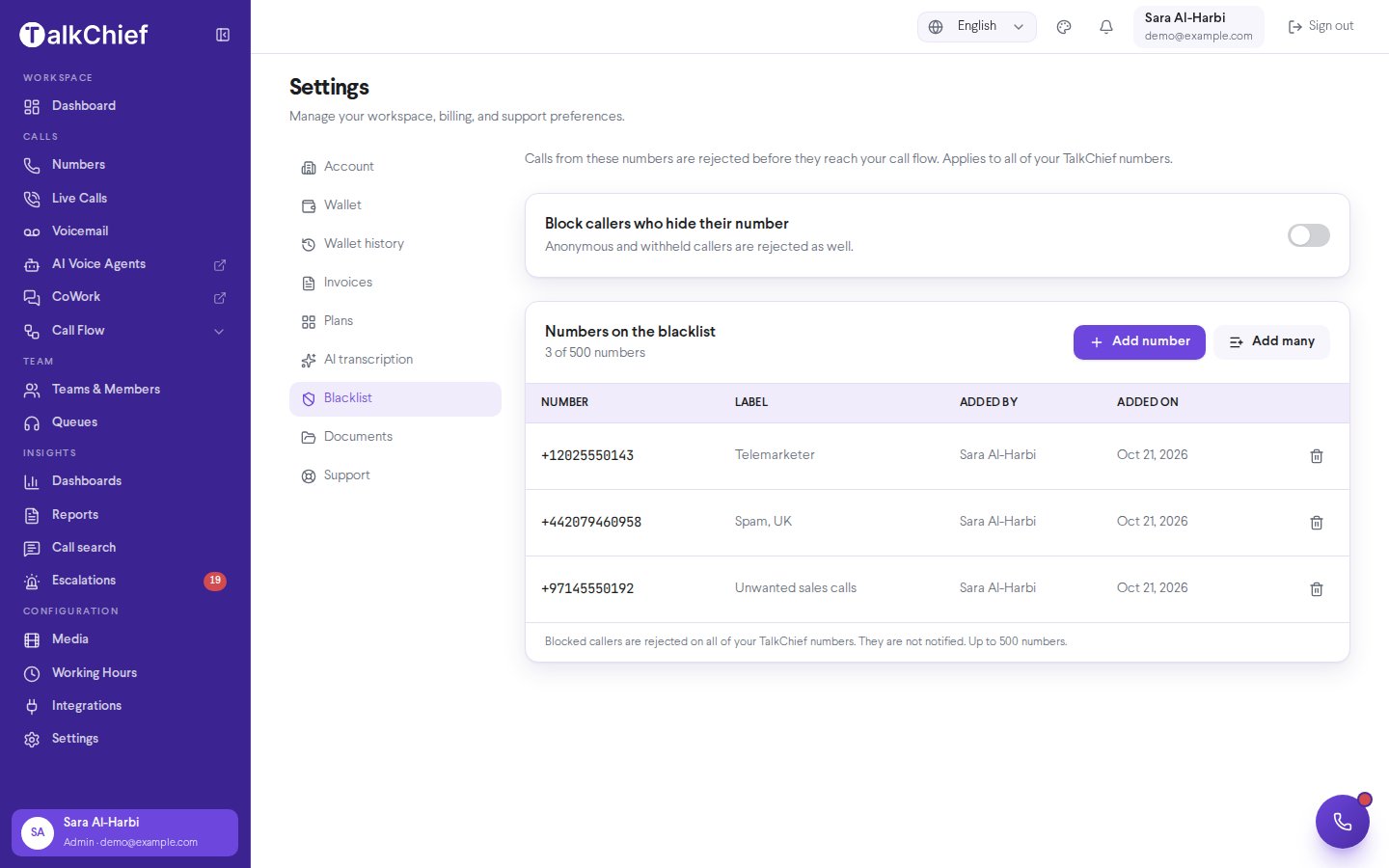
Block a number
1
Open the dialog
Go to Settings → Blacklist and select Add number.
2
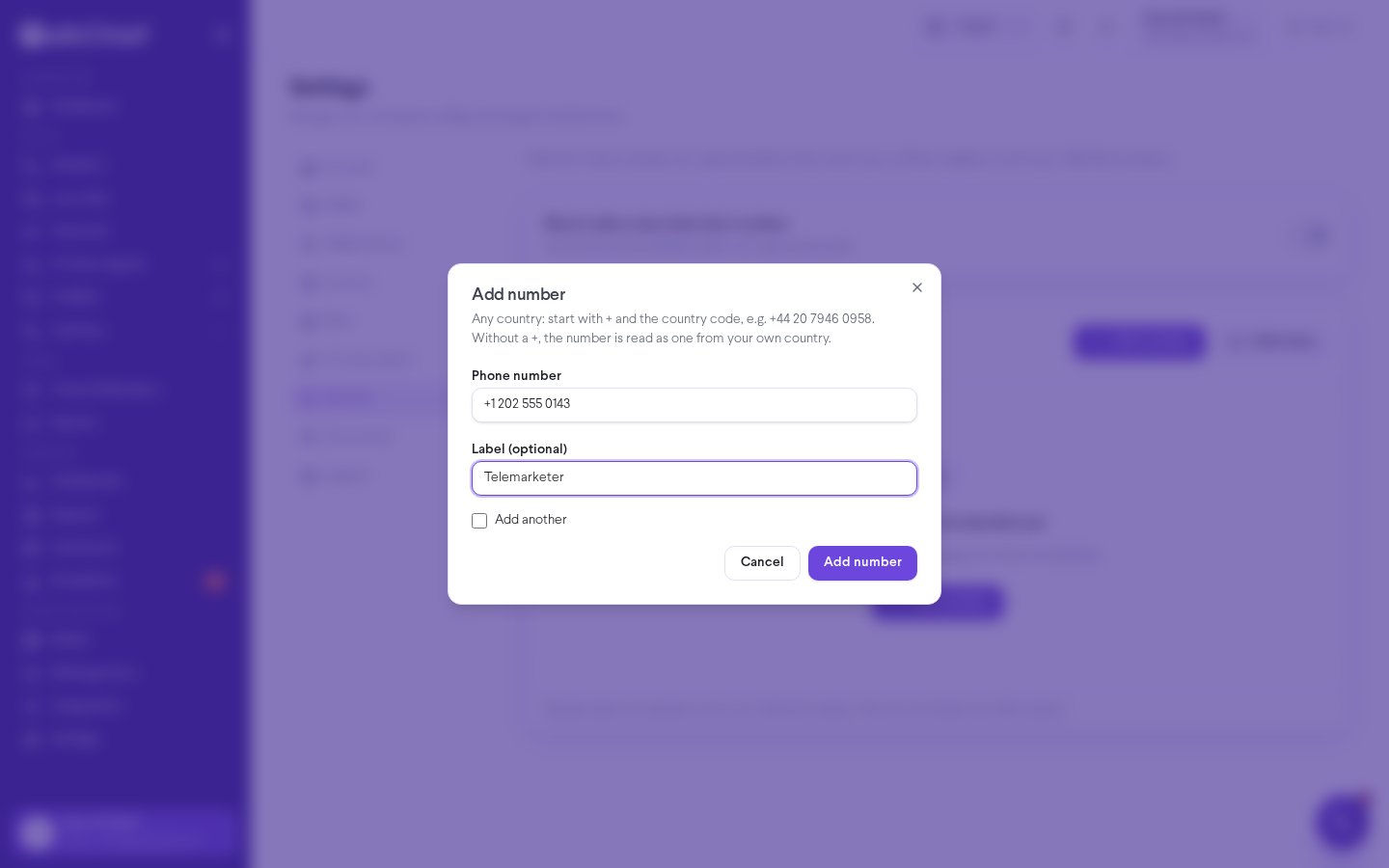
Enter the number
In Phone number, type the number. To block a number from any country, start with
+ and the country code, for example +44 20 7946 0958. If you leave out the +, TalkChief reads the number as one from your own country.3
Add a label
Optionally, add a Label (optional), such as “Telemarketer”, so your team remembers why the number is blocked.
4
Save
Select Add number. Calls from that number are rejected right away. Select Add another first to keep the dialog open for the next number.
Block many numbers at once
Select Add many, then paste your list into Numbers, one per line. Commas also work. TalkChief shows a Preview that marks each entry as Will be added, Already blocked, or Not a valid number. Select Add numbers (n) to save the valid ones, where n is how many will be added. A summary then tells you how many were added, were already blocked, or were not valid.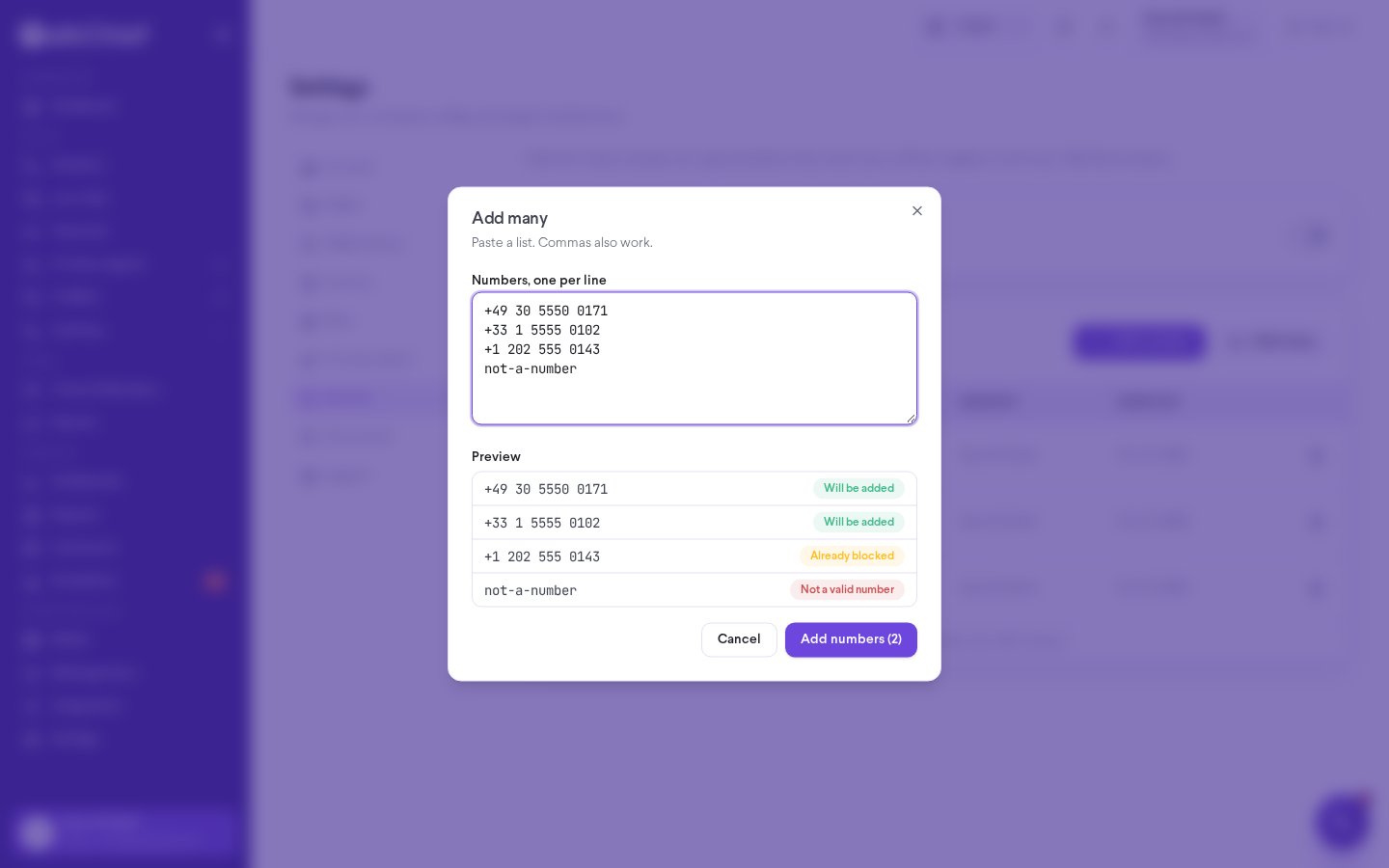
Block callers who hide their number
Turn on Block callers who hide their number to reject anonymous and withheld callers as well. This setting is off by default.Remove a number
Select the trash icon on the number’s row and confirm Remove this number?. Calls from that number ring your numbers again.Search and limits
- Use Search the blacklist to find a number or label in a long list.
- The blacklist holds up to 500 numbers. The counter shows how many you have used, for example 3 of 500 numbers. When the list is full, remove a number before adding another.
- A number can only appear once. Adding it again shows This number is already on the blacklist.
- You can’t block one of your own TalkChief numbers, because that would block calls to your team.
Troubleshooting
I see Saved in TalkChief — applying to calls is retrying
I see Saved in TalkChief — applying to calls is retrying
The number is saved, but TalkChief is still applying it to your calls. It retries automatically. Select Retry now to try again right away.
A number shows a Local format badge
A number shows a Local format badge
It was stored without a country code, so it may not match incoming international calls. Remove it and add it again starting with
+ and the country code.Enter a valid number with its country code
Enter a valid number with its country code
The number is too short, too long, or contains characters that aren’t digits. Numbers can have up to 15 digits.