
Turn off single sign-on
To turn single sign-on off, turn off Use single sign-on under Sign-in options. Some of your members may have joined through single sign-on and never set a TalkChief password. When that is the case, TalkChief asks you to confirm with Turn off single sign-on?:N members who joined through single sign-on will get an email to set a TalkChief password. Everyone else signs in with their password as before.Select Turn off single sign-on to go ahead.
- Those members are emailed a link to set a TalkChief password automatically. You don’t need to send anything yourself.
- Everyone who already has a TalkChief password keeps signing in with it, as before.
- If you turn single sign-on back on before the email goes out, nothing is sent.
Remove someone’s access
Passwords while single sign-on is required
While Require single sign-on is on, members on your verified domains have no TalkChief password to manage. TalkChief hides Forgot password? on the login page, Change password in their settings, and Reset password for them in Teams & Members. The company owner keeps these while Owner keeps password access is on.Deactivate a member in TalkChief
When you deactivate a member in TalkChief, they can’t sign in, even if they are still active in your identity provider. Their sign-in is refused with: “This account can’t sign in right now. Contact your admin.” Recent activity shows Sign-in refused: account inactive.Remove them in your identity provider
Unassign the person from the TalkChief app in your identity provider, or remove them from your directory. With directory sync connected, your identity provider tells TalkChief straight away: TalkChief switches the member off and signs them out of TalkChief, AI Voice Agents and CoWork. Recent activity shows Member switched off by the directory.Directory sync (SCIM)
Directory sync is optional. With it connected, your identity provider adds and removes TalkChief members automatically: people you add to the TalkChief app get a member, and people you remove lose access to TalkChief, AI Voice Agents and CoWork.
Phones when single sign-on is required
While Require single sign-on is on, a member’s first sign-in through your identity provider gives the Web Phone a new calling password automatically. The Web Phone picks it up on its own, so the member doesn’t need to do anything. Recent activity shows Calling password renewed. Desk phones (Yealink, Cisco and others) and any other devices you set up keep their settings and keep working. You don’t need to reconfigure them.Recent activity
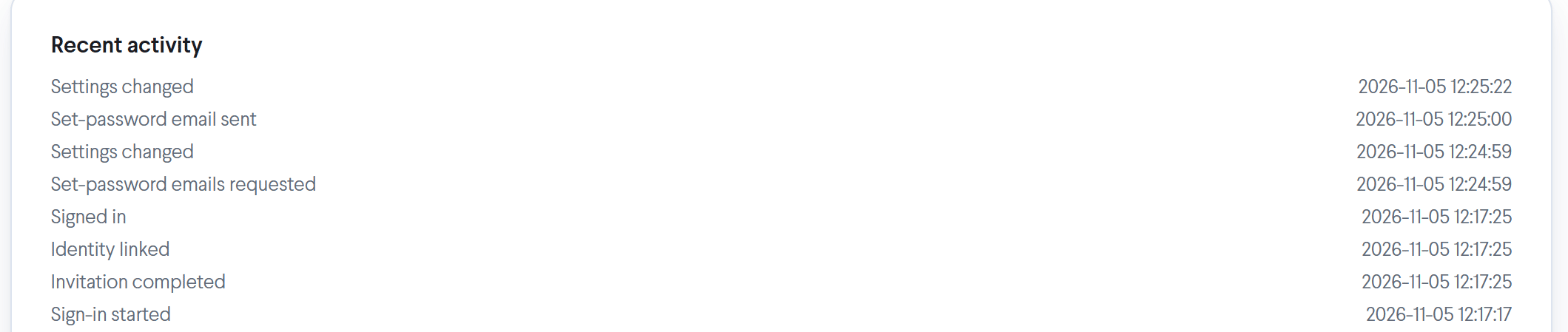
Recent activity, at the bottom of Settings > Single sign-on, lists setup changes and sign-ins with the date and time of each, newest first.