

When a transfer completes, the AI part of the call ends. Charging stops at the transfer, so minutes with a person are not billed as AI time.
Add destinations to the Transfer Directory
1
Open the directory
In the agents workspace sidebar, under Library, click Transfer Directory.
2
Add a destination
Click Add destination and fill in the form.
3
Save
Click Add destination to save it.
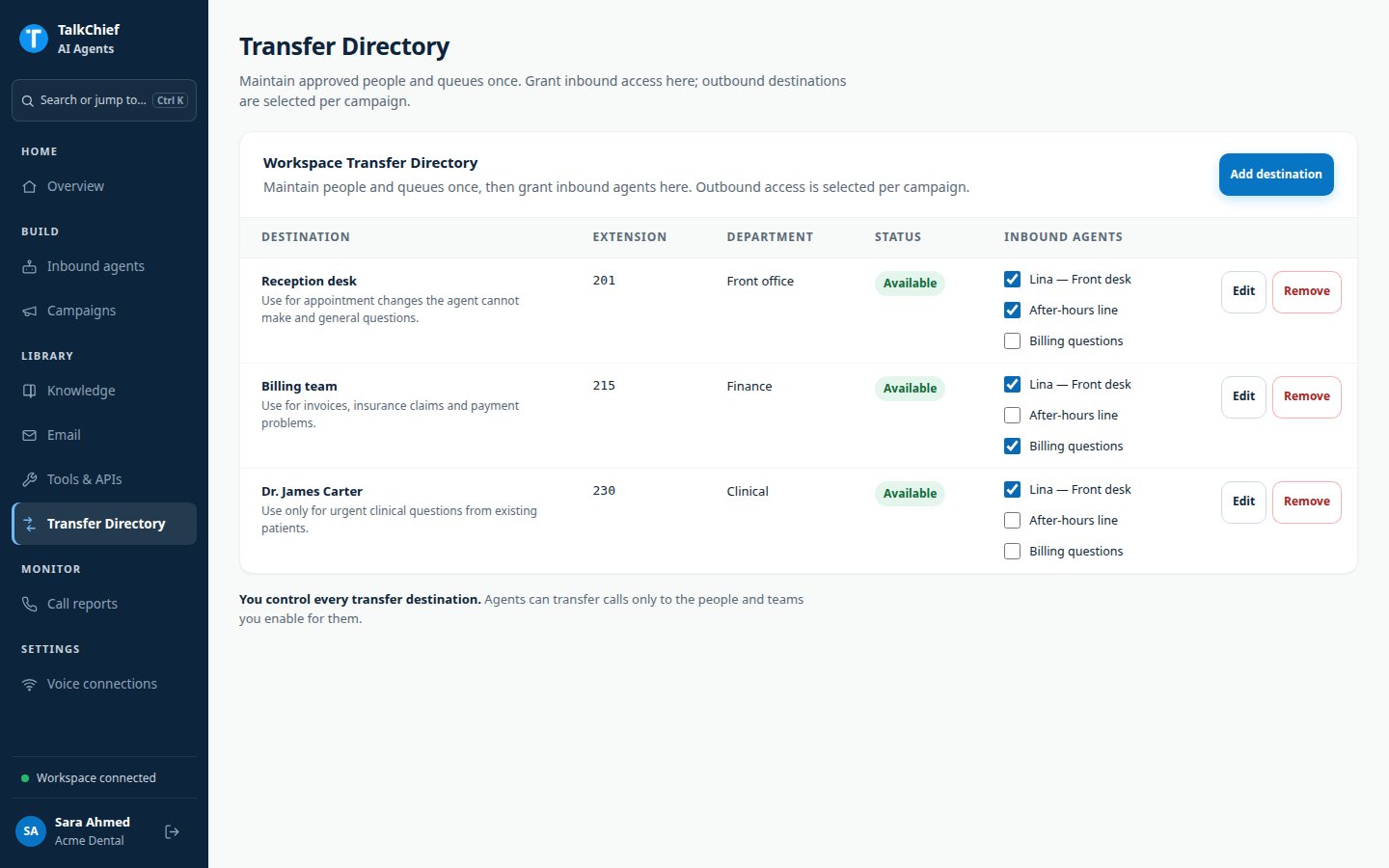
Grant destinations to an inbound agent
You can grant access from either place:- From the directory: in the Inbound agents column, select each agent that may transfer to the destination.
- From the agent: open the agent, go to Skills & tools, then Transfers. Click Assign to agent on each destination.
Set the default destination
Each agent has one default destination. The agent uses it only when a caller asks for “a person” without naming a team or role. In the agent’s Transfers tab, click Use for generic requests on the destination you want. It shows the Generic-human fallback badge.Transfers in outbound campaigns
Campaigns choose their own destinations. Open the campaign, go to Knowledge & actions, and find Live transfer directory.- Pick a directory entry in Add workspace destination… and click Add destination.
- Or enter a name and number, then click Create & add.
Check a transfer
After a test call, open the call in Call reports. A transferred call shows Transferred to a human with the destination and time. The AI time shows where AI charging stopped.FAQ
Do transfer destinations count toward the voice actions limit?
Do transfer destinations count toward the voice actions limit?
All destinations share one transfer slot, so adding more destinations does not use more slots. See Voice actions limit.
Can a caller ask to be transferred to any extension?
Can a caller ask to be transferred to any extension?
No. The agent only transfers to destinations assigned to it.
What happens if I remove a destination?
What happens if I remove a destination?
Agents can no longer transfer to it. Removing it from one agent only affects that agent.
Related pages
Tools and integrations
Turn on call controls and other tools.
Call reports
Review transferred calls.