

Call search covers calls transcribed by AI transcription. Admins search the whole company. Supervisors search their own teams. Agents do not have access.
How matching works
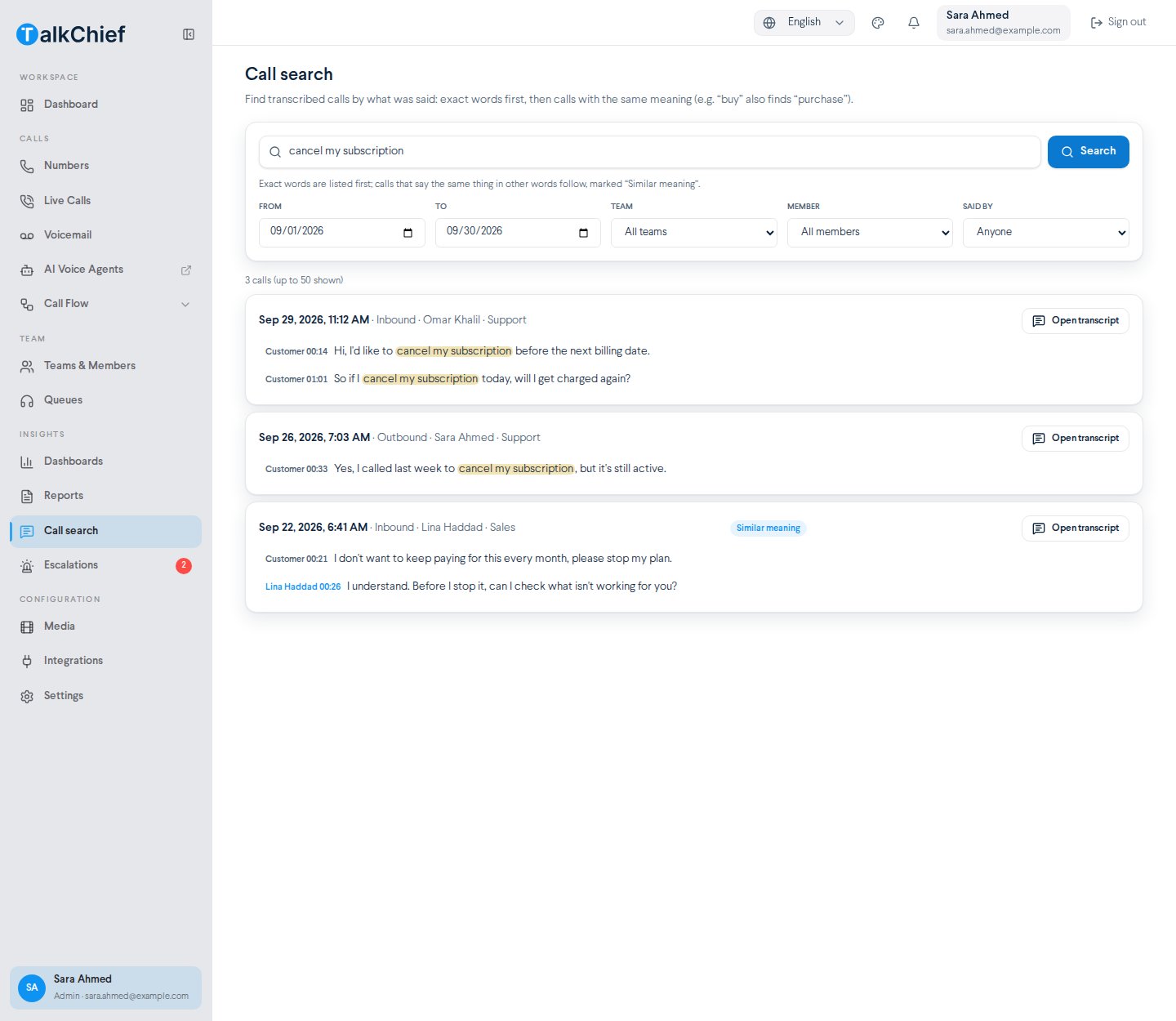
Results come in two groups:- Exact words first. Calls where the words or phrase were said. Matches are highlighted in each line.
- Then similar meaning. Calls that say the same thing in other words, marked Similar meaning. For example, a search for “buy” also finds calls where someone said “purchase”.
Search your calls
1
Open Call search
Go to Insights > Call search.
2
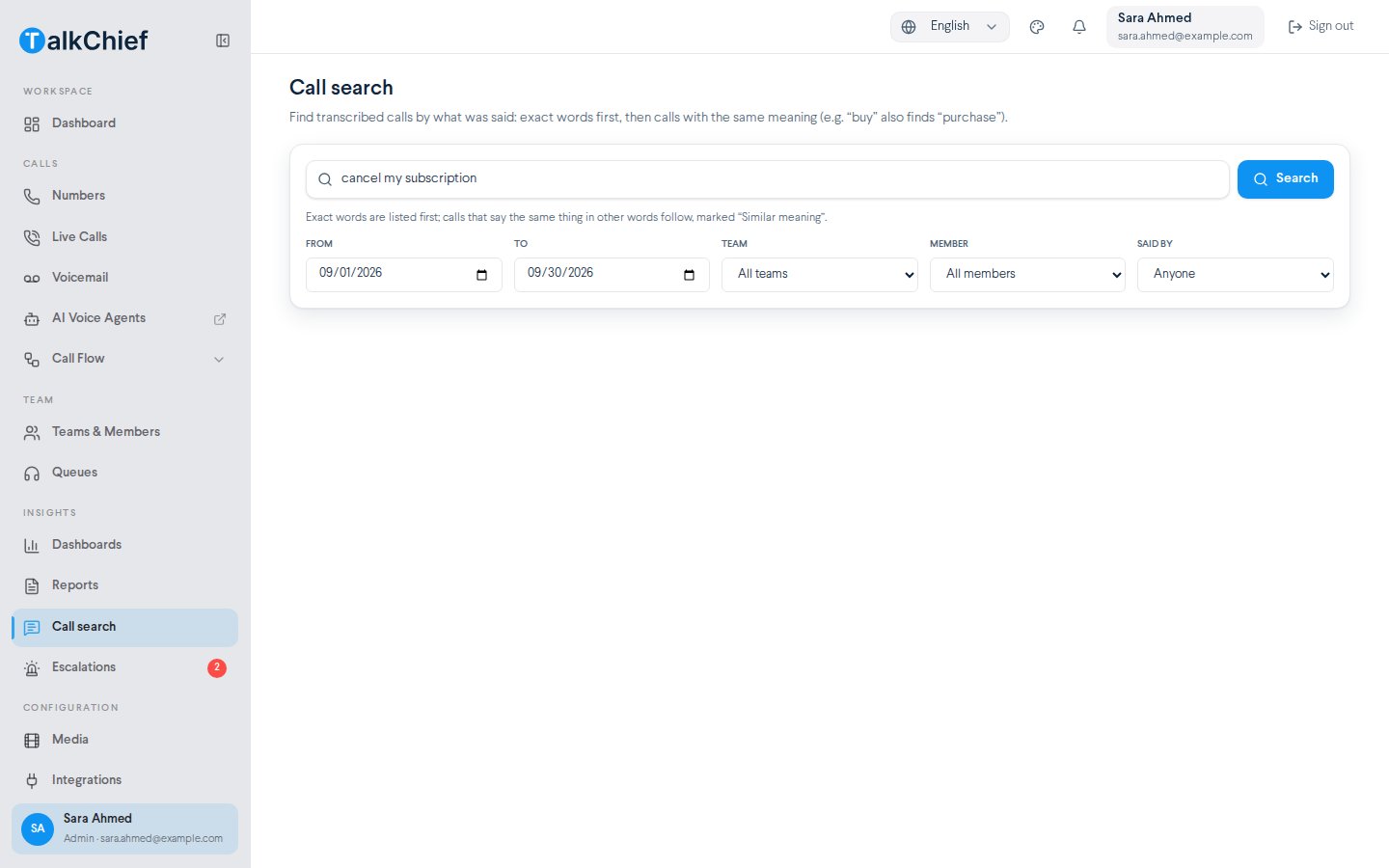
Enter what was said
Type a word or an exact phrase, for example
cancel my subscription. Use at least 2 characters.3
Narrow the search
Set From and To dates. The default is the last 30 days. Optionally pick a Team, a Member, and Said by: Anyone, Member, or Customer.
4
Run it
Select Search.
Read the results
Each result shows the call date and time, the call type, the member, and the team. Under it, up to three matching lines show who said them and when.- Highlighted text marks the exact words you searched for.
- +N more matches in this call means the call has more matching lines.
- Similar meaning marks calls found by meaning rather than exact words.
- The count at the top shows how many calls matched. Up to 50 calls are shown.
Tips for better searches
Troubleshooting
"No calls match this search"
"No calls match this search"
Widen the date range, clear the team and member filters, or try other words. Only transcribed calls are searched.
"Call search is available to admins and supervisors"
"Call search is available to admins and supervisors"
Your role does not have access. Ask an admin.
I see no Similar meaning results
I see no Similar meaning results
They appear only when the exact-word results leave room, and only for calls that are close enough in meaning.
Related
Transcripts and summaries
Read a call and generate a summary.
Escalations
Review calls that need a supervisor.
AI insights
See trends across all analyzed calls.
AI transcription setup
Choose which calls are transcribed.